Google Workspace AI 2026: Transforming the Productivity Suite into an Automated Office Intern
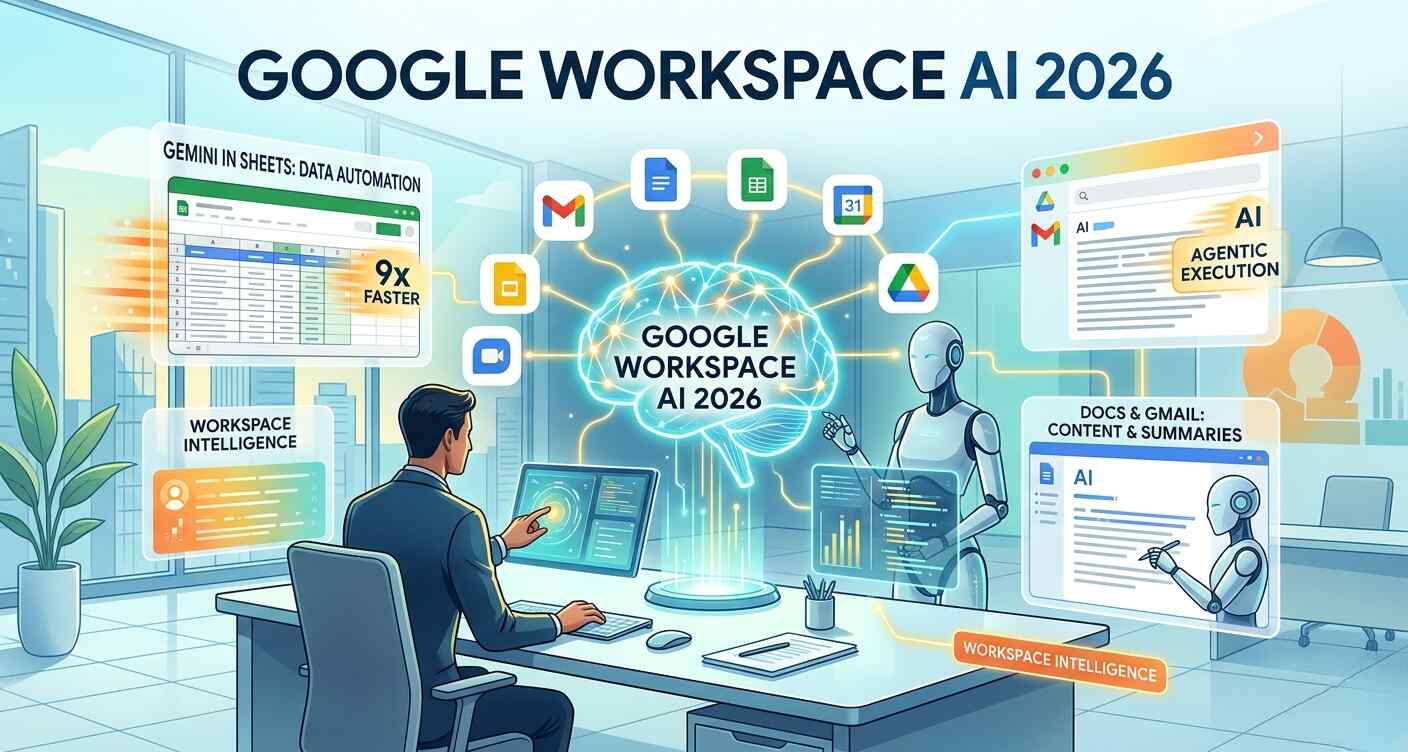
At this week’s Google Cloud Next, the tech giant introduced Google Workspace AI 2026 updates, effectively turning its productivity suite into a highly capable “office intern.” These features embed automation across Gmail, Docs, and Sheets to eliminate repetitive work for professionals worldwide.
Integrating these high-level automation tools into a cohesive business strategy is where Quaid Technologies excels. Through our specialized Digital Marketing services, we don’t just report on the tech; we implement it. We help clients harness Gemini’s data-processing power and Workspace’s AI writing tools to scale content production and performance tracking, ensuring your marketing workflows are as efficient as the platforms they run on.
Workspace Intelligence: The Cross-App Brain
The cornerstone of the update is Workspace Intelligence, an AI system designed to operate across the entire suite. By drawing on a user’s Gmail, Calendar, Chat, and Drive data, the system provides contextual assistance.
Get a FREE interview of top 3 candidates.
Developers, QA, DevOps, Designers, PMs & more.
Pre-vetted remote talent. Fast onboarding. Flexible scaling.
Privacy First: Google has implemented granular administrative controls, allowing users to disable access to specific data sources at any time.
The Power of Context: The system learns from your professional history to suggest meetings, draft replies, and summarize complex project folders.
Gemini in Google Sheets: Data at 9x Speed
Spreadsheet management is seeing its most significant update in a decade. Users can now prompt Gemini to construct entire sheets from scratch, including formatting and data retrieval.
Smart Fill: Gemini now infers intent, automatically populating data 9x faster than manual entry.
Unstructured to Structured: A new feature allows users to transform messy, unstructured notes into organized, professional tables with a single command.
The Rise of Agentic AI: From Generation to Execution
The Google Workspace AI 2026 updates represent a fundamental shift from “Generative AI” to “Agentic AI.” While previous iterations focused on creating content, Workspace Intelligence focuses on execution. By connecting the dots between unstructured data in Drive and formal communications in Gmail, Google has created a system that anticipates user needs. This “agentic” behavior allows the AI to manage complex, multi-step projects—such as building a complete budget sheet from a scattered set of email threads—without constant human intervention.
The Competitive Landscape: The Race for the AI-Powered Office
Google’s latest move isn’t happening in a vacuum. As Google Workspace AI 2026 updates roll out, the tech industry is witnessing a “race to the desktop” among Google, Microsoft, and specialized AI startups. Google’s primary advantage is its massive, pre-existing ecosystem; since millions already use Gmail and Drive, adoption friction is low.
However, the industry is closely watching how these “agentic” systems handle cross-platform workflows. While Workspace Intelligence is powerful within Google’s own apps, the next frontier for 2026 is interoperability—how well these AI interns can communicate with external CRM tools, Slack, or proprietary enterprise software. As office workers look for ways to reduce “app switching” fatigue, the winner of this AI race will likely be the company that best manages data security while offering the most seamless integration across the entire professional tech stack.
FAQs About Google Workspace AI 2026
What is Google Workspace Intelligence?
Workspace Intelligence is a 2026 AI system integrated into Google Workspace. It automates tasks by analyzing data across Gmail, Drive, and Calendar to provide contextual drafting, scheduling, and data organization.
How much faster is data entry in Google Sheets with Gemini?
According to Google, the new prompt-based filling feature in Gemini for Sheets allows users to populate spreadsheets up to 9x faster than traditional manual data entry.
Can Google’s AI match my specific writing style?
A key feature of Google Workspace AI 2026 is “Style Matching,” allowing Gemini in Google Docs to analyze your previous writing in Drive and Gmail to mimic your unique professional voice.
Is my data private when using Workspace Intelligence?
Google has provided administrative controls that let users toggle data access for the AI. You can disable the system’s ability to access specific folders or apps within your Drive at any time.
Related Tech Stories