Microsoft Grants Users Ultimate Control: Windows 11 Updates Can Now Be Paused Indefinitely
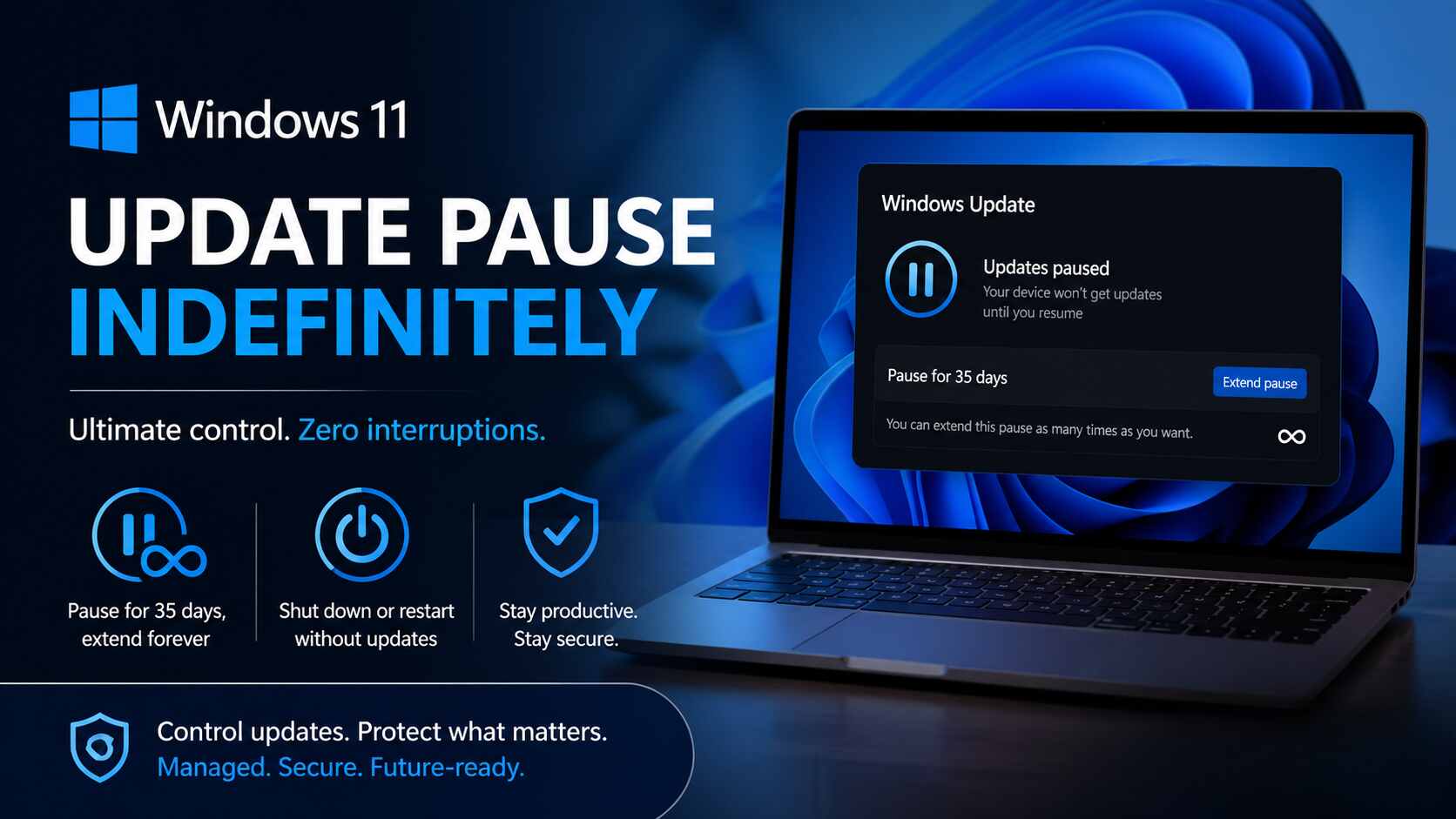
REDMOND, WA — In a significant shift toward user autonomy, Microsoft has announced a major overhaul to how Windows 11 handles system interruptions. According to a recent update on the official Microsoft blog, users will soon have the ability to pause the Windows 11 update indefinitely. While the pause technically lasts for 35 days at a time, Microsoft is removing the previous limits, allowing users to extend or “reset” this pause as many times as they wish.
As Microsoft accelerates its release cycles, staying ahead of these shifts is vital for businesses relying on stable, high-performing digital ecosystems. Quaid Technologies is a specialized partner. We provide expert software development and software engineering, helping clients navigate rapid updates and keep their enterprise applications compatible, secure, and optimized as the underlying operating system evolves at a record pace.
Eliminating Disruption in the Professional Workflow
Pausing Windows 11 updates indefinitely gives users system stability. Microsoft also ensures “Shut Down” and “Restart” let you power down without forced updates. This improvement was highly requested by the Insider community, especially those working on long-running processes.
Get a FREE interview of top 3 candidates.
Developers, QA, DevOps, Designers, PMs & more.
Pre-vetted remote talent. Fast onboarding. Flexible scaling.
Stabilizing the Technical Environment for Software Development
A stable operating system is key for Software development. Forced restarts disrupt servers, builds, or databases. With new pause features, our team can protect critical sprint cycles and deployment windows from unexpected reboots, keeping the environment stable from start to finish.
Managing the Cybersecurity Gap in Enterprise Hubs
Pausing updates boosts productivity, but challenges cybersecurity. Most updates patch security vulnerabilities. We ensure “pausing forever” doesn’t mean “vulnerable forever” by helping organizations vet updates in a sandbox before rolling them out during scheduled downtime.
Availability and Future Rollout
These features are now rolling out to Windows Insider users, says Microsoft’s Aria Hanson. For most, this ends the “Update and Restart” trap. For businesses, it means better fleet management. At quaidtech.com, we help manage these settings at scale, keeping teams productive and secure.
FAQs About Windows 11 Infinite Update Pause
Can I pause Windows 11 updates forever?
Yes. Following a major policy shift in April 2026, Microsoft now allows users to Windows 11 update pause indefinitely. While the initial pause remains 35 days, users can now reset and extend this period an unlimited number of times, effectively stopping forced updates for as long as they choose.
How do I extend the 35-day update pause in Windows 11?
To extend your pause, navigate to Settings > Windows Update. Before your current 35-day window expires, use the new calendar interface to select a new end date. Microsoft has removed the previous limit that forced an installation after the first 35 days, allowing you to re-pause immediately.
Can I shut down Windows 11 without installing pending updates?
Yes. In the latest Windows 11 release, the Power menu has been decoupled from the update service. Even if updates are downloaded and “Pending,” the system will always provide standard “Shut Down” and “Restart” options alongside the update-inclusive versions, ensuring you are never held hostage by a forced installation.
Is it safe to pause Windows 11 updates indefinitely?
While pausing provides workflow stability, Microsoft and security experts at Quaid Technologies warn that skipping updates entirely can leave your system vulnerable to Zero-Day exploits. It is recommended to use the pause feature for short-term project stability and to utilize professional software development or managed IT oversight to vet and install security patches in a controlled manner.
Can I skip updates during the Windows 11 initial setup (OOBE)?
Yes. Microsoft now allows users to select “Update Later” during the Out-of-Box Experience (OOBE). This allows you to reach the desktop and begin working immediately, rather than waiting for mandatory updates to download and install during the first boot of a new device.
Related Tech Stories