
Top 5 Tools for Seamless Collaboration in Remote Teams
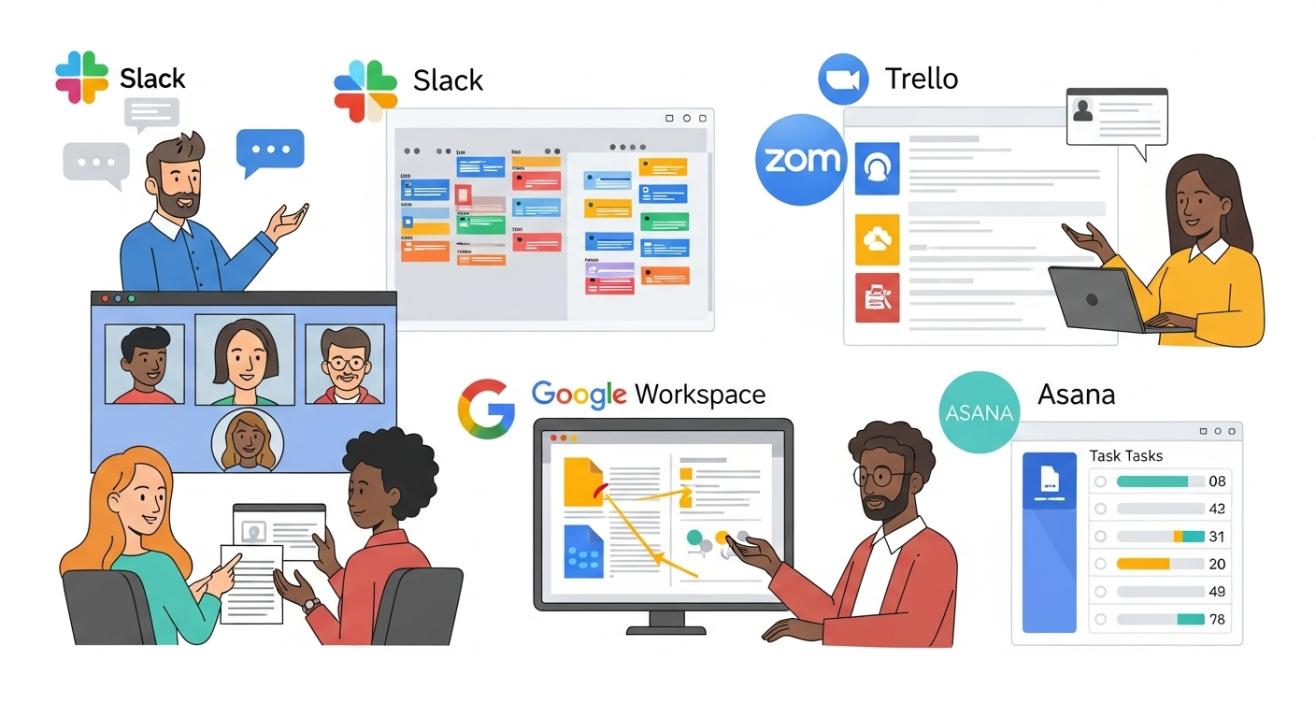
In recent years, remote work has evolved from a niche offering to a mainstream practice, and many businesses have adopted this new mode of work permanently. With this shift, companies and teams are now tasked with figuring out how to maintain productivity and communication despite physical distance. One solution is to hire remote development team, which allows businesses to access global talent while implementing efficient collaboration practices.
Collaborating effectively in a remote environment requires more than just emails and video calls. Teams require software that facilitates communication, streamlines project management, and enhances overall productivity. Fortunately, there is a wide range of tools designed to help teams collaborate seamlessly and stay connected, regardless of location. In this blog, we’ll examine five of the best collaboration tools for remote teams, their key features, benefits, and how they can help make working from home more efficient and organized.
The Need for Collaboration Tools in Remote Teams
Remote work offers several benefits: it provides teams with flexibility, reduces overhead costs, and enables employees to work from virtually anywhere. However, it also brings challenges. The absence of face-to-face interaction can lead to miscommunication, misunderstandings, and a lack of engagement. It’s easy for team members to feel isolated, and without the right tools in place, productivity can suffer.
One of the biggest obstacles remote teams face is maintaining effective communication. In a physical office, you can easily walk up to a colleague’s desk to ask a question, share an idea, or resolve an issue. In a remote setting, this instant communication can be a challenge, leading to delays and misunderstandings. It is where collaboration tools come in. By utilizing these tools, teams can streamline communication, share resources, and collaborate on projects in real-time.
Here’s a closer look at the five best collaboration tools essential for remote teams.
1. Slack: Streamlining Communication and Team Organization
Overview
Slack is one of the most popular communication platforms used by remote teams. It allows users to communicate in real-time through channels, direct messages, and group chats. Slack integrates with many other tools, making it a great central hub for team communication.
Key Features
- Channels: Organize communication into channels based on teams, projects, or topics. For example, you can have separate channels for sales, marketing, and general company-wide announcements.
- Direct Messaging: Communicate privately with individuals or create group chats for smaller teams.
- File Sharing: Share documents, images, and other files easily within channels or direct messages.
- Integrations: Slack integrates with a range of third-party apps, such as Google Drive, Trello, Zoom, and Asana, which helps keep all your team’s tools in one place.
- Searchable History: Slack allows you to search through past messages and files, making it easy to refer back to previous conversations or find important information.
Benefits for Remote Teams
- Instant Communication: Slack enables quick, real-time communication, which is essential in a remote work environment. Instead of waiting for email responses, your team can connect instantly.
- Team Organization: By organizing conversations into channels, it’s easy for teams to stay on track and discuss topics relevant to their work.
- Transparency: Slack helps maintain transparency across your team by keeping conversations open and accessible to the right people.
Pros
- Easy to use and set up
- Excellent integrations with other tools
- Encourages real-time communication
Cons
- It can get overwhelming with too many channels or notifications.
- It can become noisy if not managed properly
2. Trello: Visual Task Management for Remote Teams
Overview
Trello is a visual project management tool that enables teams to manage tasks and track progress straightforwardly and intuitively. The platform uses boards, lists, and cards to help teams organize and prioritize work.
Key Features
- Boards: Create boards for different projects or workflows.
- Lists and Cards: Each board contains lists, and each list includes cards that represent individual tasks or steps in a project. Cards can be moved across lists to indicate progress.
- Due Dates: Set deadlines for tasks to ensure work stays on track.
- Power-Ups: Trello integrates with tools like Slack, Google Drive, and Zapier, allowing you to customize your boards with additional features.
- Collaborative Features: Teams can leave comments on cards, attach files, and mention others to keep everyone informed and stay connected.
Benefits for Remote Teams
- Visual Workflow: Trello’s card-based system makes it easy to see at a glance what tasks are being worked on, which are complete, and which are yet to start.
- Real-Time Updates: As tasks are moved between lists and boards, updates occur in real-time, ensuring everyone on the team is always up to date.
- Ease of Use: Trello is very user-friendly, with to minimal learning curve for new users.
Pros
- Highly customizable and flexible
- Simple and intuitive interface
- Great for tracking project progress
Cons
- Lacks advanced features for complex project management
- Limited reporting options in the free version
3. Zoom: Video Conferencing and Virtual Meetings
Overview
Zoom is the go-to video conferencing tool for remote teams. It enables teams to conduct virtual meetings, webinars, and conferences, making it a vital tool for maintaining face-to-face interaction while working remotely.
Key Features
- Video and Audio Calls: Zoom provides high-quality video and audio calls for one-on-one meetings, team discussions, and large conferences.
- Breakout Rooms: For larger meetings, Zoom allows you to split participants into smaller, focused groups in breakout rooms.
- Screen Sharing: Share your screen to present documents, presentations, or designs during meetings.
- Recording: Zoom allows you to record meetings for future reference or to share with team members who couldn’t attend.
- Integrations: Zoom integrates with Slack, Google Calendar, and project management tools, making scheduling and collaboration easier.
Benefits for Remote Teams
- Face-to-Face Interaction: Zoom facilitates remote team collaboration by providing face-to-face communication, which helps build relationships and trust.
- Real-Time Collaboration: Zoom enables teams to collaborate in real-time during virtual meetings, utilizing features such as screen sharing and virtual whiteboards.
- Cross-Time Zone Communication: Whether your team is located in different time zones, Zoom makes it easy to schedule and hold meetings that everyone can join.
Pros
- High-quality video and audio
- Easy to schedule and join meetings
- Breakout rooms are perfect for team discussions
Cons
- Can face connectivity issues at times
- The free version has a 40-minute limit for group meetings
4. Asana: Comprehensive Project and Task Management
Overview
Asana is a powerful project management tool that helps remote teams track work, assign tasks, and manage deadlines. It’s known for its visual timeline, task tracking, and reporting features, making it an ideal choice for teams working on complex projects.
Key Features
- Task Management: Create tasks, assign them to team members, and track their progress.
- Timelines: Visualize project timelines and ensure that deadlines are met.
- Milestones: Set milestones to mark primary stages in a project and keep teams aligned.
- Collaboration: Team members can comment on tasks, attach files, and ask questions directly in Asana.
- Integrations: Asana integrates with a variety of tools, including Slack, Google Drive, and Microsoft Teams.
Benefits for Remote Teams
- Transparent Task Allocation: Asana makes it easy to assign specific tasks to team members, ensuring that everyone is aware of their responsibilities and functions.
- Project Transparency: By utilizing timelines and progress tracking, Asana ensures that all team members are aware of project milestones and deadlines.
- Easy Collaboration: Asana’s comment and file-sharing features enable team members to collaborate seamlessly without needing to leave the platform.
Pros
- Robust project management features
- Highly visual, making it easy to see task progress
- Excellent for teams working on large, complex projects
Cons
- Steeper learning curve for new users
- It can feel overwhelming for small teams with simpler needs
5. Google Workspace: The Ultimate Productivity Suite
Overview
Google Workspace (formerly G Suite) is a cloud-based productivity suite that includes Gmail, Google Drive, Google Docs, Sheets, Slides, and more. It’s an all-in-one tool for collaboration, document sharing, and communication.
Key Features
- Google Docs, Sheets, and Slides: Real-time document collaboration, making it easy for teams to edit and comment on files together.
- Google Drive: Cloud storage for storing and sharing files across the team.
- Gmail: A powerful email service with integration across Google Workspace tools.
- Google Meet: For holding virtual meetings, screen sharing, and collaborating in real-time.
- Calendar Integration: Sync Google Calendar with Gmail to schedule meetings and set reminders.
Benefits for Remote Teams
- Real-Time Collaboration: Google Docs and Sheets enable live collaboration, making it easy to work on documents, spreadsheets, and presentations simultaneously.
- Cloud Storage: Google Drive enables teams to securely store and share files in the cloud, ensuring that important documents are always accessible and readily available.
- Integrated Tools: Google Workspace integrates all its tools, making it a seamless experience for remote teams to communicate, collaborate, and stay organized.
Pros
- Cloud-based, accessible from anywhere
- Excellent for document collaboration
- Affordable pricing, especially for teams
Cons
- Limited offline functionality
- Lacks some advanced project management features
How to Choose the Right Tool for Your Remote Team
Choosing the right collaboration tools for your team depends on several factors, including:
- Team Size: Small teams may prefer simpler tools, while larger teams may require more advanced features.
- Budget: Some tools offer robust free versions, while others are more suited to businesses willing to invest in premium features.
- Project Complexity: If your projects are large or complex, consider using a tool like Asana or Trello to track progress effectively.
- Communication Needs: For teams that rely heavily on messaging, Slack might be a top choice. For video meetings, Zoom or Google Meet might be essential.
Companies that want to evaluate which setup fits best can also check insights from Remote vs Hybrid approaches to understand the best workflow strategies.
Best Practices for Remote Collaboration
- Set Clear Communication Guidelines: Establish expectations for response times and preferred communication channels.
- Foster Engagement: Encourage non-work-related conversations and team-building activities to maintain high morale and team cohesion.
- Regular Check-ins: Schedule weekly or daily check-ins to monitor progress and address any issues that arise.
- Use the Right Tool for the Job: Use Zoom for meetings, Trello for task management, and Slack for communication to ensure your team is using the most efficient tool for each task.
Startups and businesses can also hire remote software developers to ensure they have the right technical expertise to implement and manage these tools efficiently.
Conclusion
Remote work is here to stay, and the right tools can make all the difference in keeping your team productive, connected, and efficient. Slack, Trello, Zoom, Asana, and Google Workspace are just a few of the best collaboration tools available to help your team work smarter, not harder. By choosing the right combination of tools and establishing clear communication guidelines, your remote team can collaborate just as effectively as if you were all in the same office.
FAQS
1. What are the best tools for remote team collaboration?
The five best tools for remote team collaboration are Slack for communication, Trello for project management, Zoom for video conferencing, Asana for task tracking, and Google Workspace for document collaboration and storage.
2. How does Slack help remote teams communicate better?
Slack enhances remote team communication by organizing conversations into channels, allowing instant messaging, file sharing, and integration with other tools like Google Drive and Zoom, enabling real-time collaboration.
3. What makes Trello ideal for managing tasks in a remote team?
Trello offers a visually intuitive platform to organize tasks using boards, lists, and cards. It helps teams track project progress, set deadlines, and collaborate by moving tasks between lists, ensuring transparency and accountability.
4. How does Zoom contribute to effective remote collaboration?
Zoom enables remote teams to hold high-quality video meetings, conduct webinars, and collaborate in real-time through features like breakout rooms, screen sharing, and meeting recording, which helps maintain personal connections and team alignment.
5. Why is Google Workspace a good choice for remote teams?
Google Workspace offers a suite of integrated tools, including Gmail, Google Docs, Sheets, Slides, and Google Meet, enabling remote teams to communicate, share files, and collaborate on documents in real-time, all within a cloud-based environment.


